Software product · Pharmacies & medical stores
PharmaPOS: pharmacy software that knows every batch and expiry date
Run the whole pharmacy from one place: the counter, prescriptions, stock by batch and expiry, purchasing from suppliers, customer credit, accounts and reports. It works in Chrome or Edge on every counter, with one server in the shop or in the cloud.
- Sell by box, strip or loose tablet, with barcode scanning
- Earliest expiry sold first; expired batches are never sold
- Prescriptions, doctors and a controlled drug register
- Accounts posted automatically, with 19 reports in PDF and Excel
Why PharmaPOS
Built around how a pharmacy really works
Medicines have batches, expiry dates, generics and prescriptions. PharmaPOS handles all of them at the counter without slowing the cashier down.
Safe stock, batch by batch
Every batch keeps its own expiry date. The counter picks the batch expiring first (FEFO), blocks expired stock, and warns you about near-expiry and dead stock in time.
Find any medicine in seconds
Search by brand, generic name or code, or scan the barcode. Searching a generic shows every brand of the same formula with its price, stock and nearest expiry.
Every rupee, riyal or dollar accounted for
Shifts with opening float and note-by-note closing count, manager PIN for discounts and voids, and an audit log of every important action that cannot be edited.
Features
Everything from the counter to the books
Each user sees only what their role allows: owner, admin, manager, pharmacist, cashier, store keeper or accountant.
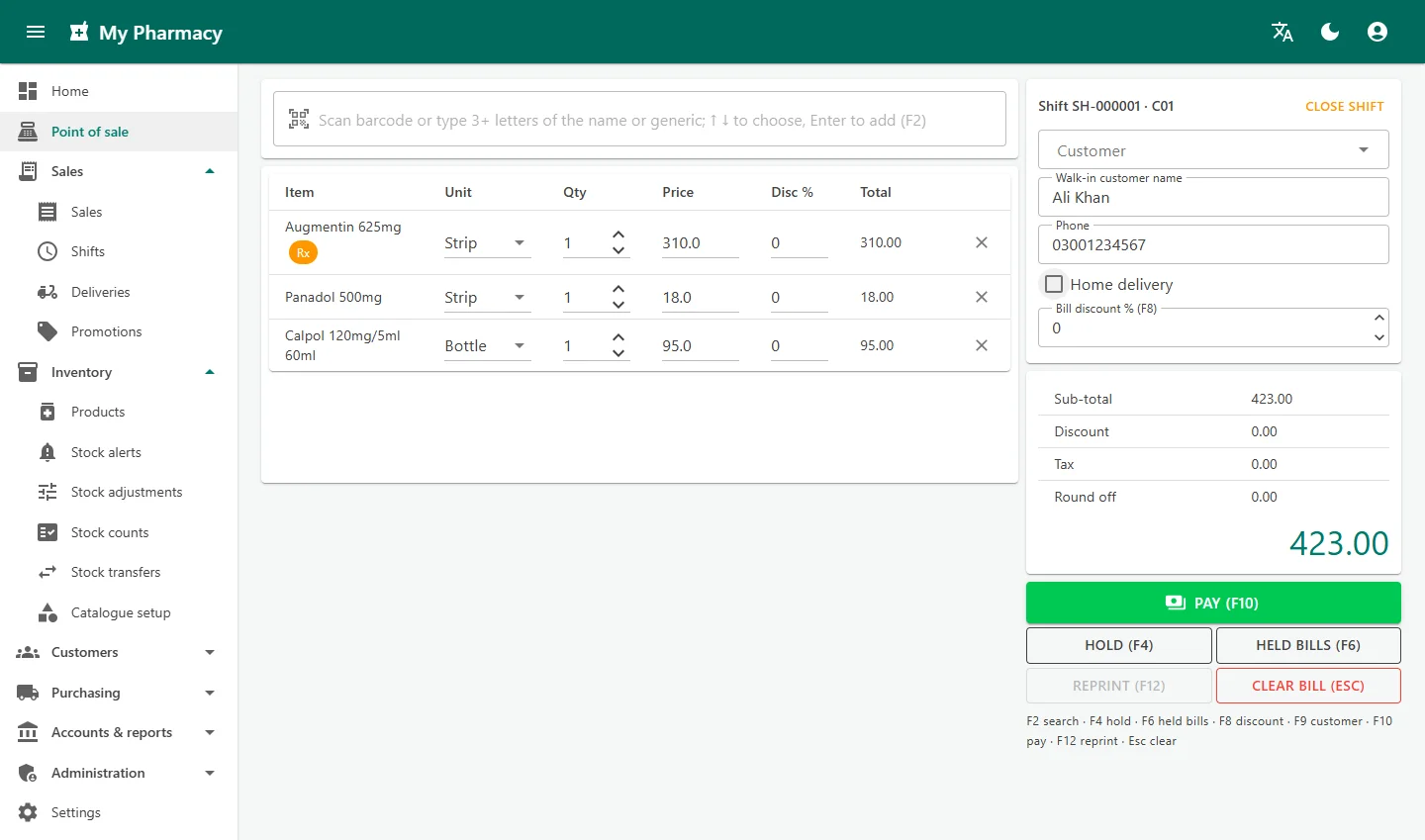
Fast counter (POS)
Barcode scanning, search by brand or generic, units and loose tablets, hold and resume bills, line and bill discounts, and shortcut keys for everything.
Prescriptions and controlled drugs
Prescription-only items ask for the patient, doctor and Rx number before payment. Every prescription is kept, and controlled drugs go to their own register.
Payments and receipts
Cash with change, card, bank transfer, mobile wallet, customer credit and loyalty points, with split payment. Receipts show every item's batch and expiry.
Returns and voids
Return items to the same batch with the refund method of your choice, or void a whole invoice with manager approval. Nothing is ever deleted.
Products, packing and barcodes
Brand, generic, strength, manufacturer, rack, tax category and reorder levels. Box, strip and tablet packing with their own prices and barcodes. Print shelf and pack labels.
Stock control
Low stock, near-expiry, expired and dead stock alerts, stock adjustments with approval, stock counts by rack, and transfers between the shop and the store room.
Purchasing
Purchase orders with suggested quantities from reorder levels and recent sales, goods receipt with batch, expiry and bonus quantity, supplier payments and returns.
Customers, credit and loyalty
Customer accounts with credit limits, statements and payments received, medication history for repeat prescriptions, and a loyalty points programme.
Home delivery and promotions
Delivery orders from the counter tracked to Dispatched and Delivered, and automatic promotions such as buy X get Y free or a percentage off.
Accounts
Every sale, purchase, payment, return and expense is posted automatically. Expenses, manual journals, chart of accounts, trial balance, profit and loss and balance sheet.
Dashboard and reports
Today's sales and profit, receivables, payables, low stock and expiry at a glance, plus 19 reports for sales, stock, purchasing and accounts in PDF and Excel.
Security and backups
Roles and permissions, account lockout, manager PIN approvals, an audit log with old and new values, and automatic backups with a second copy on USB or another disk.
Screenshots
See PharmaPOS in action
Real screens from PharmaPOS with a sample pharmacy.
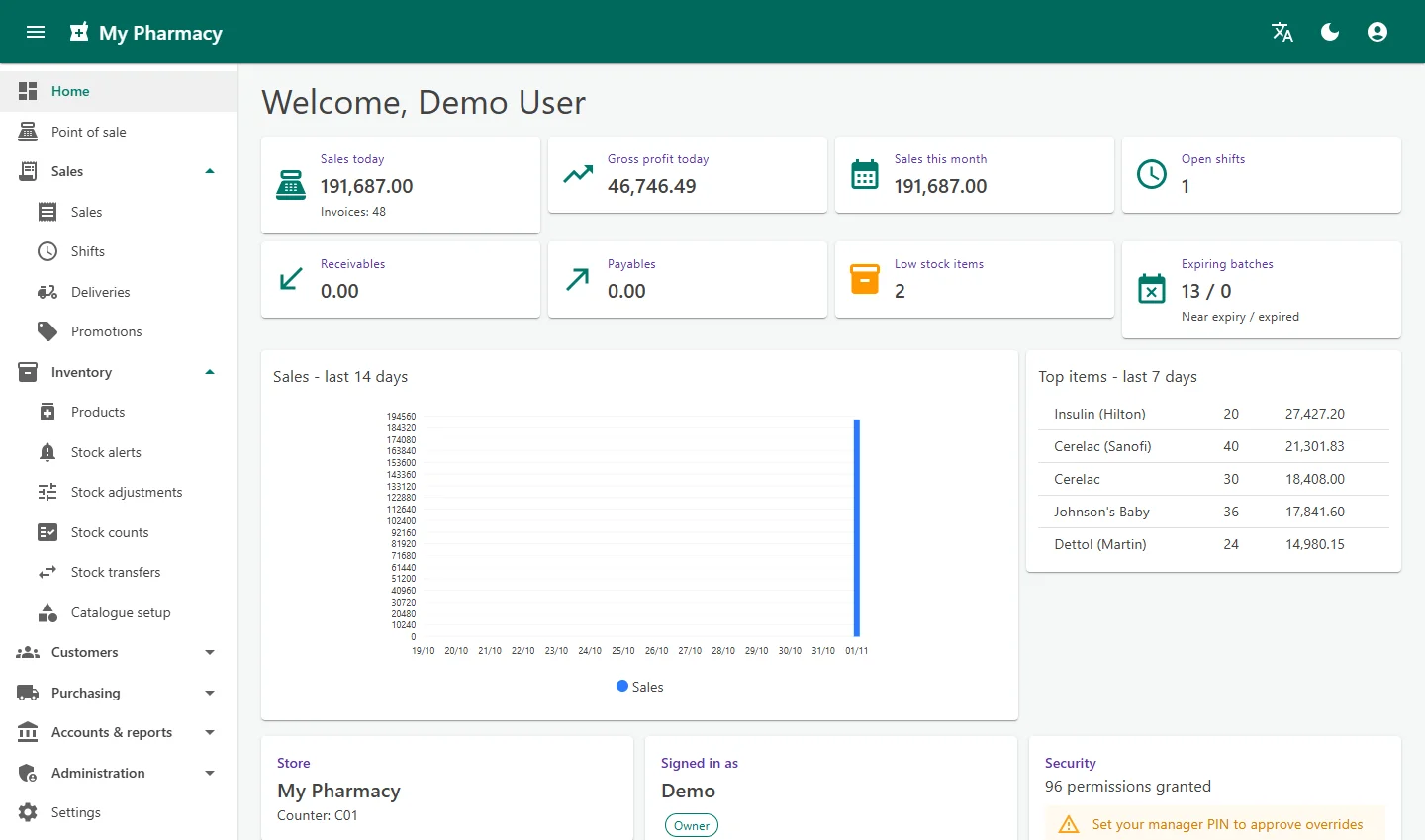
Owner dashboardSales and profit today, receivables, payables, low stock, expiring batches and the top items of the week. 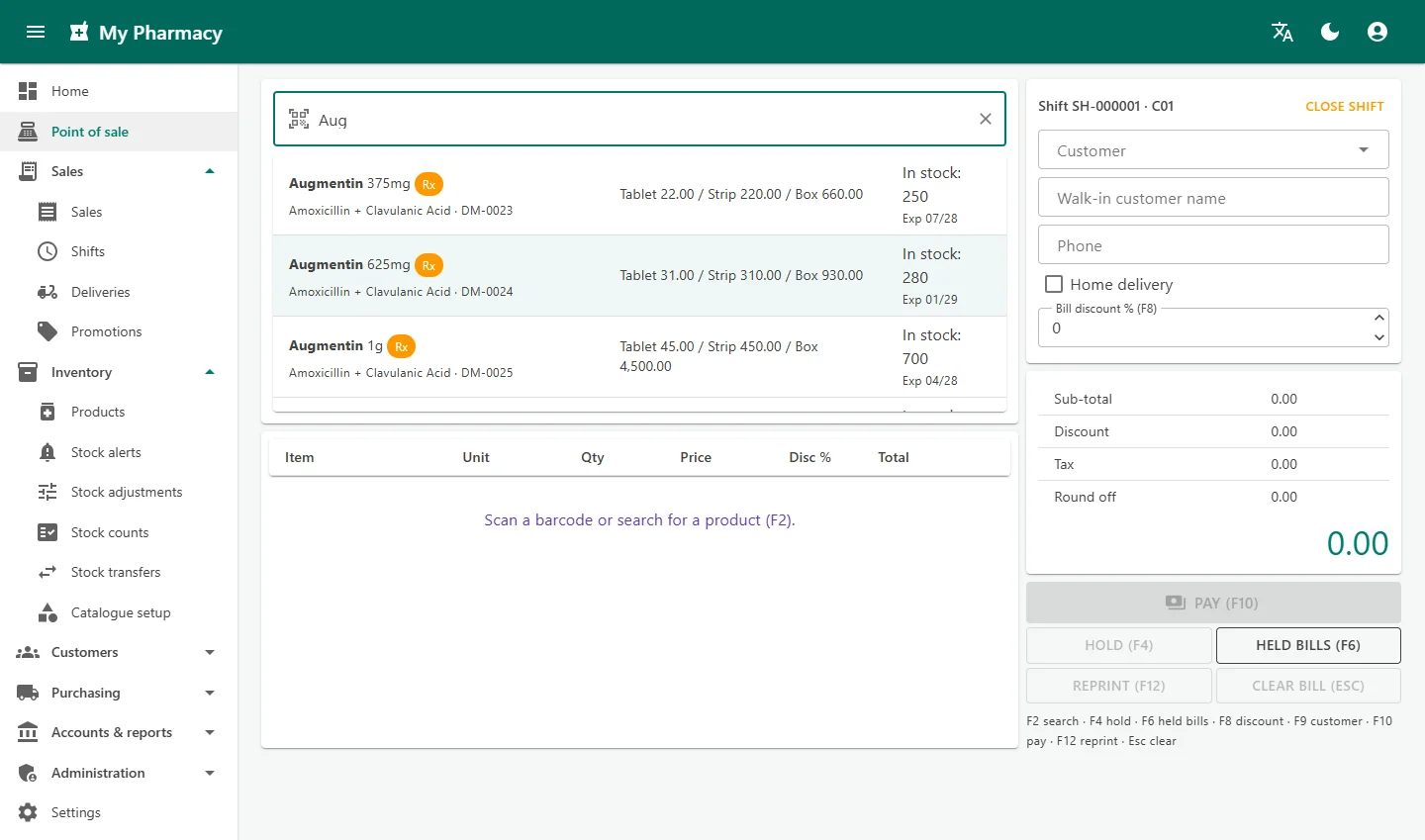
Search by brand or genericTyping three letters lists every matching medicine with its price per unit, stock and nearest expiry. 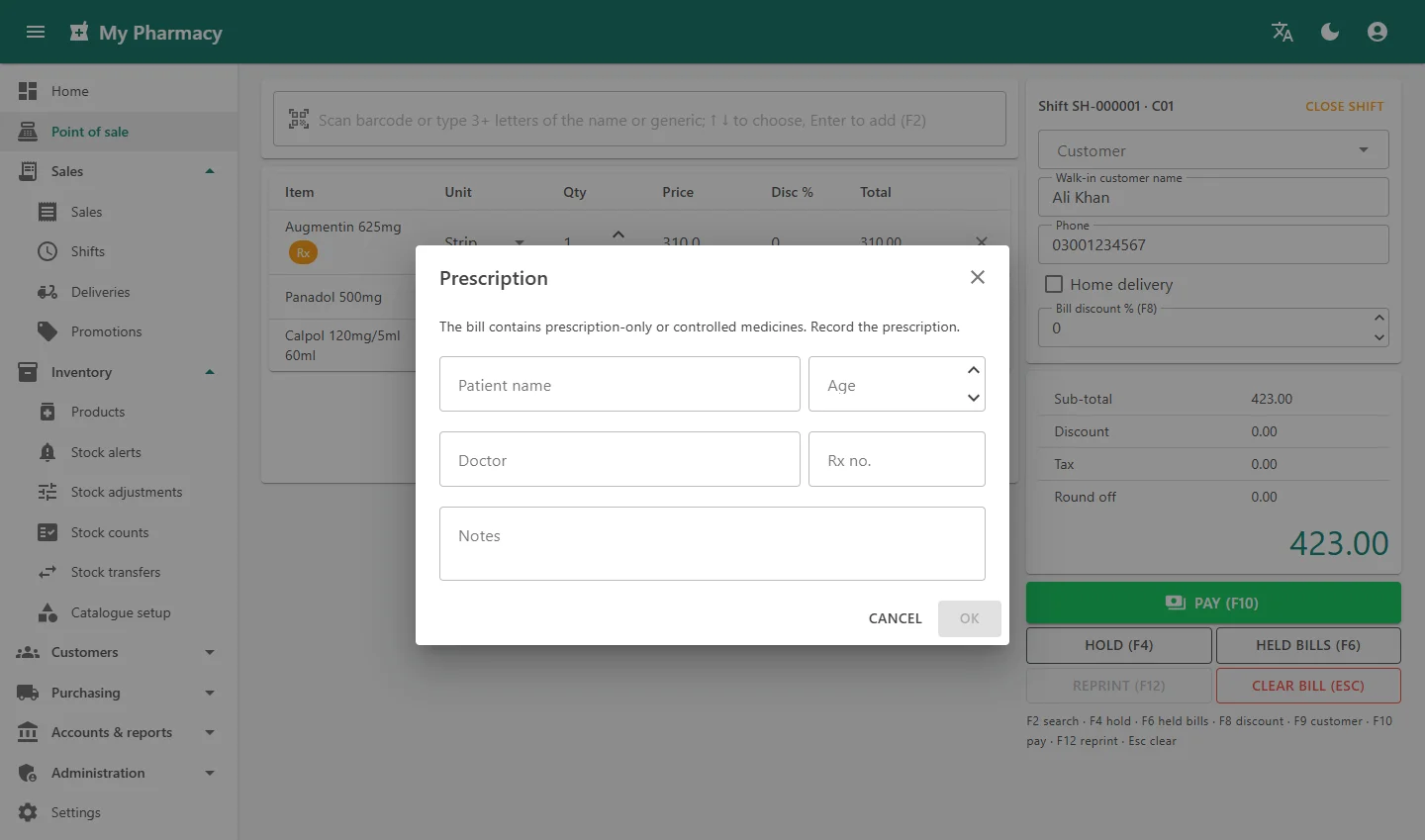
Prescription at the counterPrescription-only and controlled medicines ask for the patient, doctor and Rx number before payment. 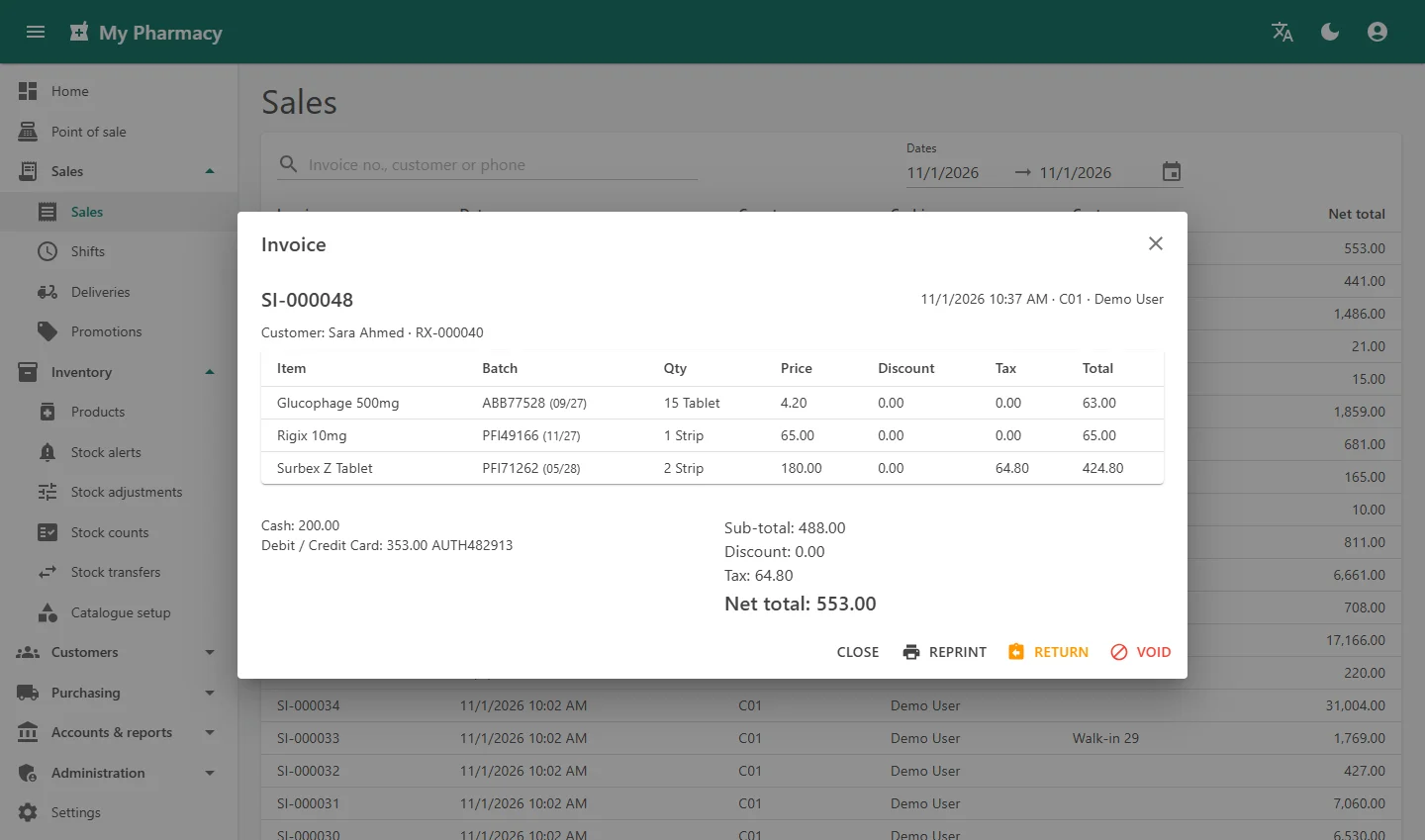
Invoice with return and voidEvery invoice line keeps its batch and expiry. Returns go back to the same batch. 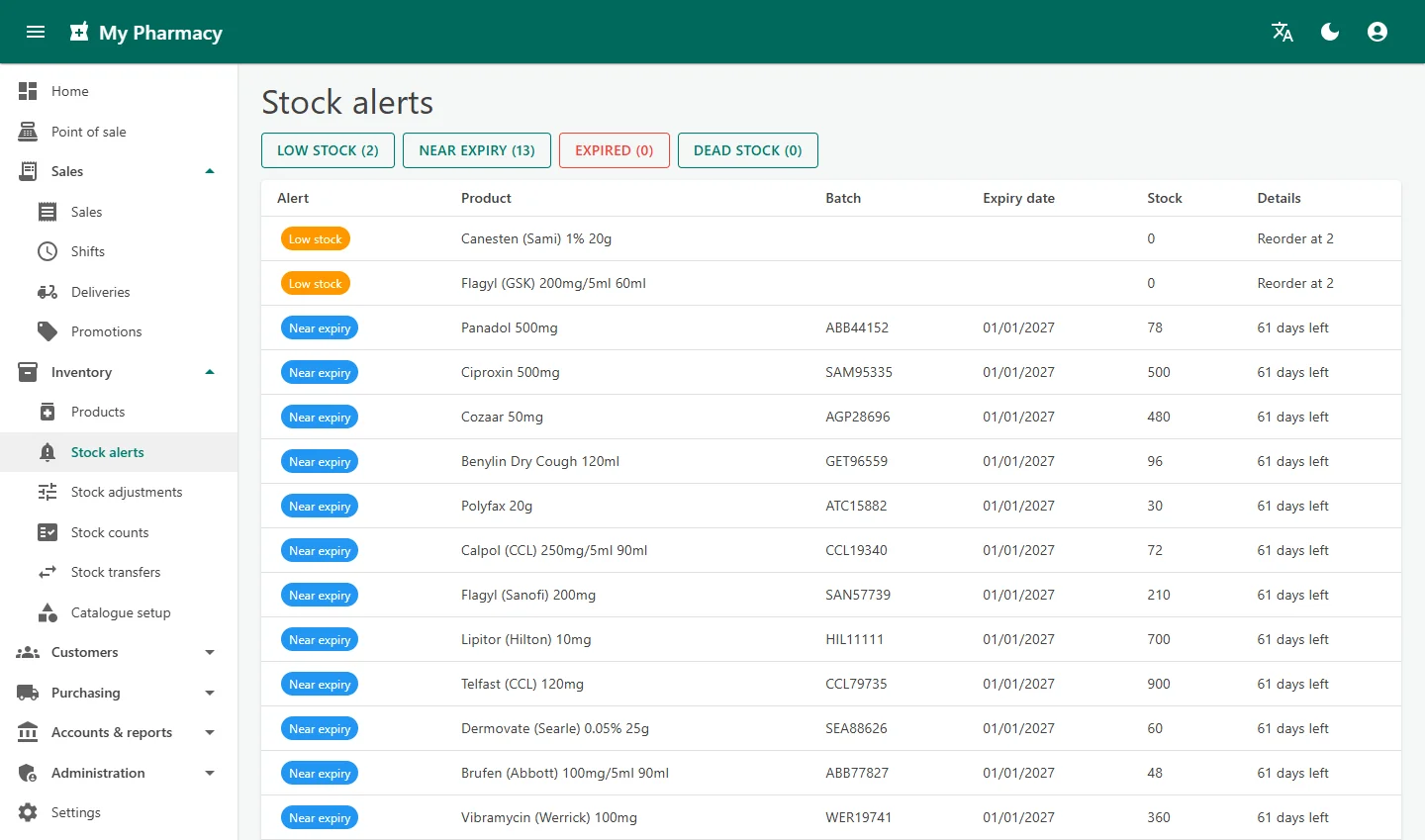
Stock alertsLow stock, near-expiry, expired and dead stock in one list, so nothing expires on the shelf unnoticed. 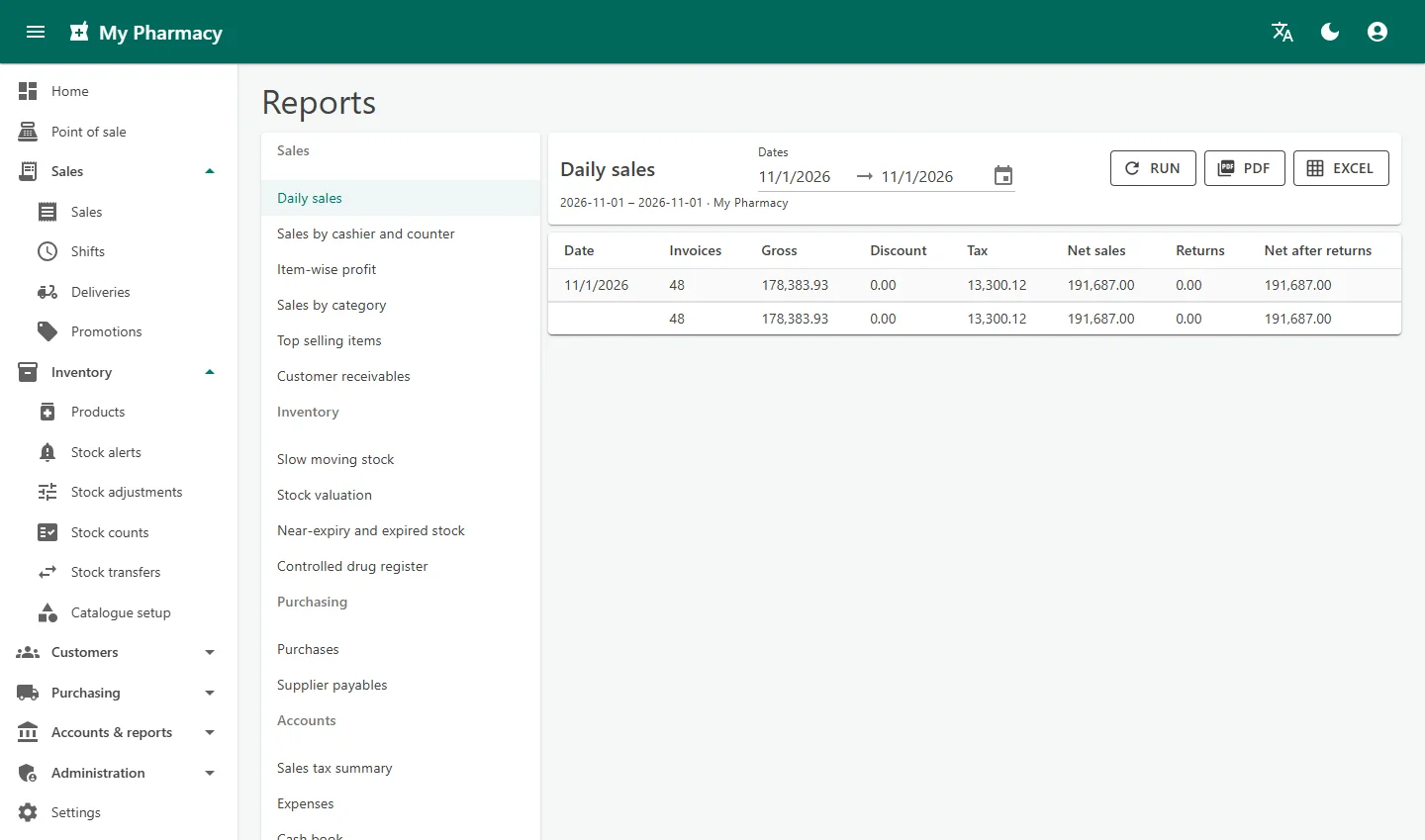
ReportsDaily sales and 18 more reports for stock, purchasing and accounts, exported to PDF or Excel. 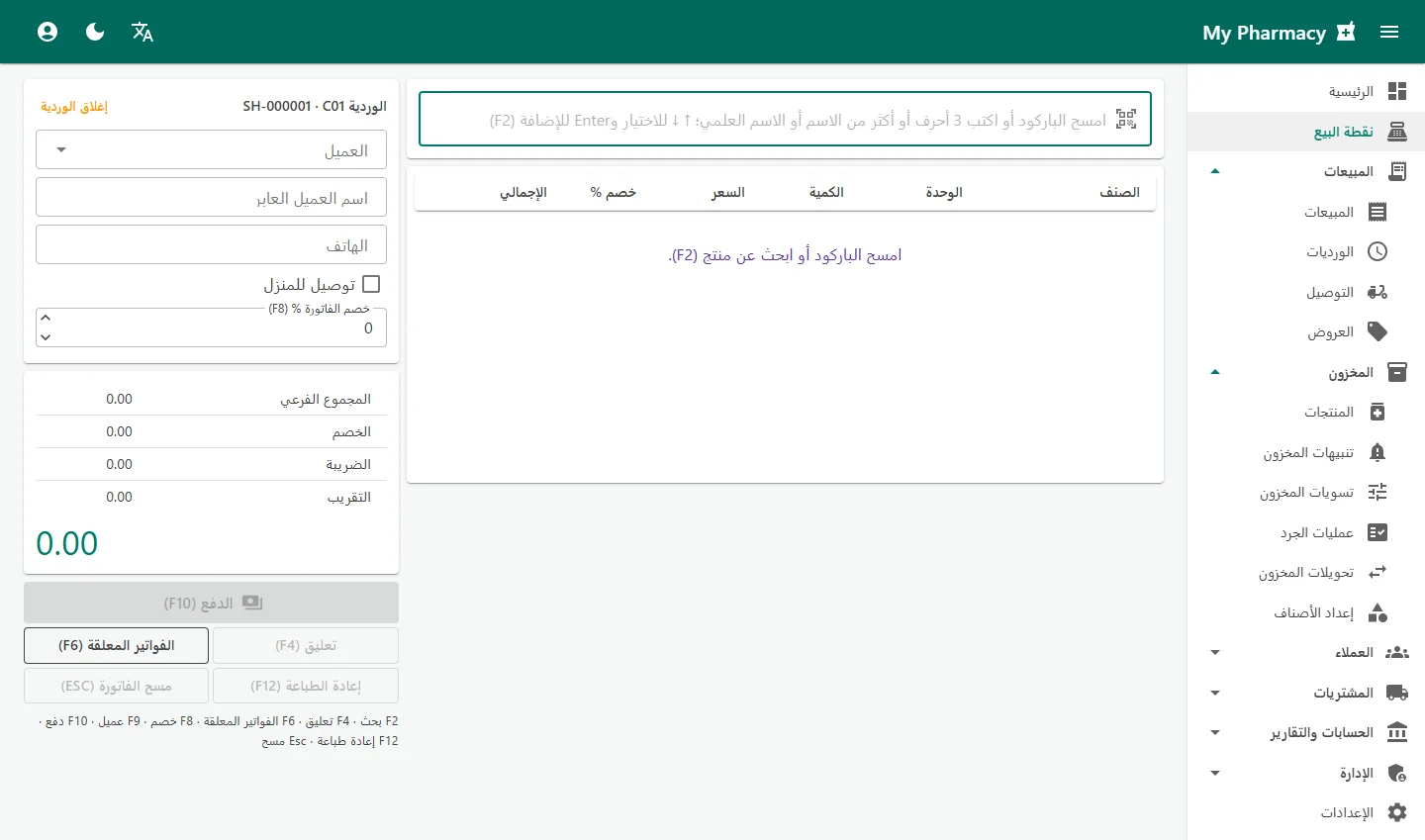
Arabic screensSwitch any screen to Arabic with one click. The whole layout, including the counter, turns right to left.
How it works
A medicine's journey through your pharmacy
Details are entered once, when the stock arrives, and used everywhere after that.
Order
A suggested purchase order is built from reorder levels and recent sales.
Receive
Goods are received with batch, expiry and bonus quantity; stock and the supplier balance update.
Sell
The counter sells the earliest-expiring batch first and records any prescription.
Report
Stock, accounts and reports update at once; alerts flag low and near-expiry stock.
System requirements
What you need
Ordinary PCs and printers. Every counter only needs a web browser.
| Item | Requirement |
|---|---|
| Server | One PC in the pharmacy acting as the server, or a cloud server hosted by us |
| Counters | Any PC with Google Chrome or Microsoft Edge; it can be installed like a desktop app |
| Network | Shop LAN (cable or Wi-Fi) for a shop server; internet for the cloud option |
| Receipt printer | Thermal printer, 80 mm or 58 mm; silent printing and cash drawer with the PharmaPOS Print Agent |
| Labels | Label printer for 50 × 25 mm labels, or A4 sheets of 3 × 8 labels on a normal printer |
| Optional | Barcode scanner, cash drawer, mobile phone browser for the owner's dashboard |
Licensing
Try it free, then choose how you run it
Every pharmacy starts with a free 30-day trial of all features.
- Free 30-day trialUse every feature with your own products and staff before you decide.
- Shop server or cloudKeep everything on a PC in your pharmacy, so selling continues without the internet, or let us host it in the cloud so you can check the dashboard from anywhere.
- Your country, your settingsSet your own tax categories and rates, currency, receipt header and footer, logo, licence and tax numbers, and payment methods such as local mobile wallets.
- Setup help and supportWe help you import products, enter opening stock by batch and train your staff, and we support you after go-live.
Frequently asked questions
Can PharmaPOS be used outside Pakistan?
Yes. Tax categories and rates, currency, business details, receipt texts and payment methods are set by each pharmacy, and the screens are available in English and Arabic.
How does it handle expiry dates?
Every batch is received with its expiry date. The counter sells the batch expiring first, never sells expired or blocked batches, and Stock alerts lists near-expiry, expired and dead stock.
Can I sell loose tablets?
Yes. Each product has a base unit such as Tablet and larger packings such as Strip and Box, each with its own price and barcode. Change the unit on the bill line and the price follows.
Does it record prescriptions and controlled drugs?
Yes. Prescription-only items ask for the patient, doctor and Rx number before payment. Prescriptions are kept in a register, and controlled drugs also appear in the controlled drug register report.
What happens if the network or internet goes down?
With a shop server, selling continues on your own network without the internet. If a counter loses the server, bills already on screen can still be paid and are sent automatically when the connection returns.
Do I need an accountant to keep the books?
No. Sales, purchases, payments, returns, adjustments and expenses are posted to the accounts automatically, and the trial balance, profit and loss and balance sheet are ready in Reports.
Can customers buy on credit?
Yes. Registered customers can be allowed credit up to a limit. Their statement shows bills, payments and balance, and payments received settle the oldest bills first.
How do I buy a licence?
Start with the free 30-day trial. To buy a licence, message us on WhatsApp or email sales@gstechsys.com for the current price.
Sell faster and never sell an expired batch again
Try every feature free for 30 days, on your own shop PC or on our cloud. We help you load your products and opening stock so you can start selling quickly.