Software product · Windows desktop
Account-App: accounting and inventory that runs on your own PC
Record what you buy and sell, what you hold in stock, who owes you and what you owe, and get the Trial Balance, Profit & Loss and Balance Sheet an accountant expects. No internet, no cloud account, no subscription.
- Works 100% offline on Windows 10 and 11
- Sales, purchases, point of sale and stock in one program
- Built for the keyboard, with familiar Tally-style groups
- One-time licence with a free 30-day trial
67 pages · every screen, step by step
Why Account-App
Three things are true throughout
They explain most of how Account-App behaves, and why your books stay trustworthy.
It is offline
There is no internet connection, no cloud account and no server. Everything is on your disk, and it works the same in a power cut or with a dead broadband line.
One company is one file
Ledgers, stock, vouchers and settings live in a single .acdb file. Copy that file and you have copied the company.
Every entry balances
Each transaction is written with equal debits and credits, in one go. A document that does not balance is refused rather than half-saved.
Features
Everything a small business needs to keep its books
Every screen has a shortcut key, and the whole program works from the keyboard.
Chart of accounts
28 standard groups and ready-made ledgers, in the two-layer structure Tally users know. Add your own groups and import hundreds of ledgers from Excel.
Everyday vouchers
Payment, Receipt, Contra and Journal entries, with narration, references, bill allocation and cost-centre splits.
Sales and invoicing
Quotations, sales orders, delivery notes, sales invoices and credit notes, with line and invoice discounts, freight, tax and amount in words. Print or save as PDF.
Purchases
Purchase orders, goods receipt notes, purchase invoices and debit notes. Stock arrives once per chain, so quantities never double up.
Point of Sale
A barcode-ready till: scan, Enter, Enter, Enter. Cash and card on one bill, change worked out, receipts on an 80 mm thermal printer.
Stock and godowns
Items, units, price lists and multiple godowns. Stock summary at weighted average cost, movement register, low stock alerts, stock takes and transfers.
Who owes what
Every credit invoice raises a bill with a due date. Receivables and payables aged 0–30, 31–60, 61–90 and older, plus a printable statement of account.
Financial reports
Day Book, Ledger Report, Trial Balance, Profit & Loss and Balance Sheet. Drill from statement to group to ledger to voucher, and export to Excel or PDF.
Sales tax / VAT
Set up your own rates; the program does the arithmetic and postings. Tax summary, invoice-by-invoice register and an editable return export to Excel or CSV.
Cost centres, budgets and ratios
Profit & Loss per department, branch or project, budget against actual, and key ratios that show the figures they come from.
Payroll
Employees, pay heads and dated salary structures. Compute the month, post one salary journal, and print payslips.
Users, audit trail and backups
Logins with view, add, edit and delete rights per module. Every change is recorded. Automatic daily backups, plus an optional copy to your own Google Drive.
Screenshots
See it in action
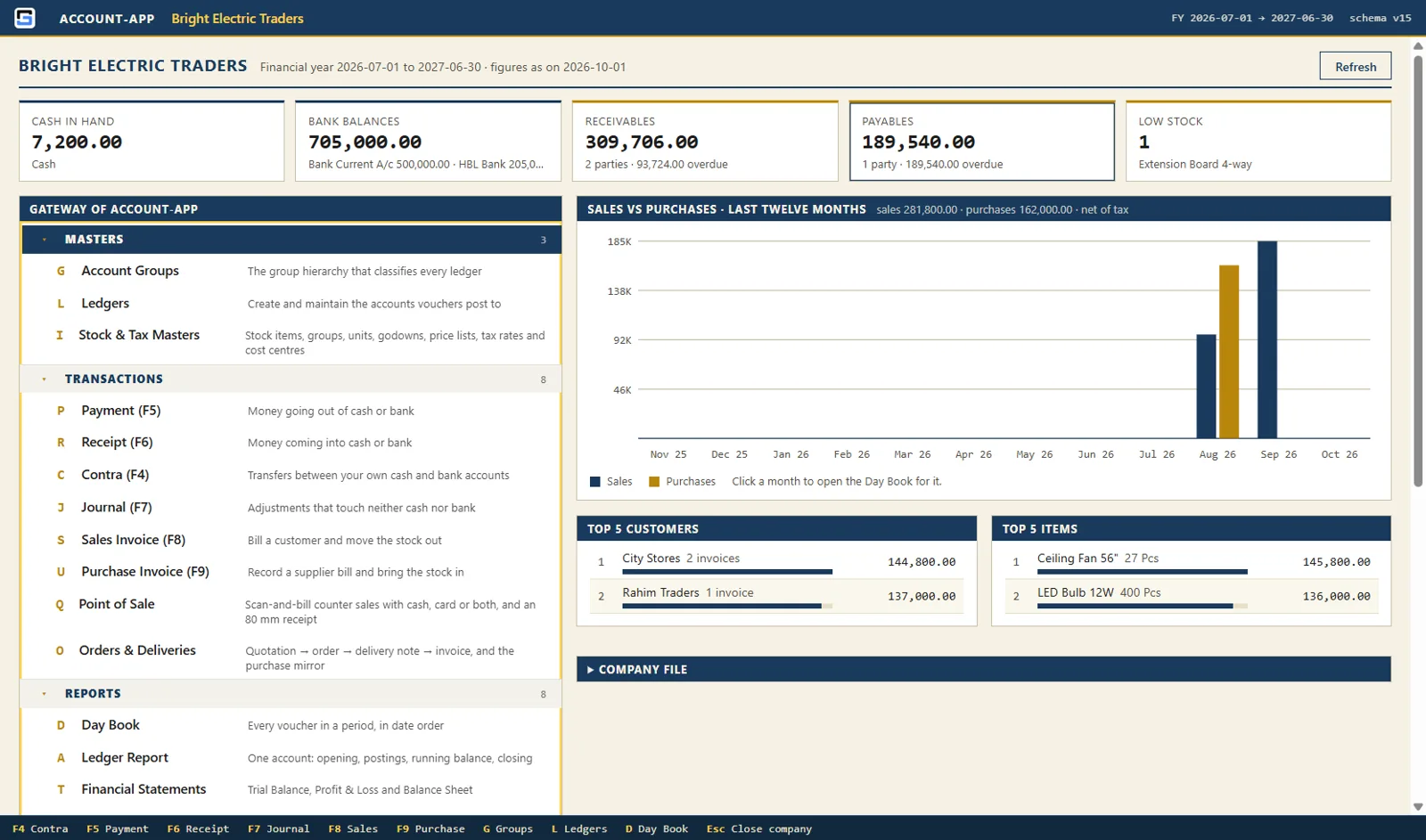
Real screens from Account-App, using a sample trading company.
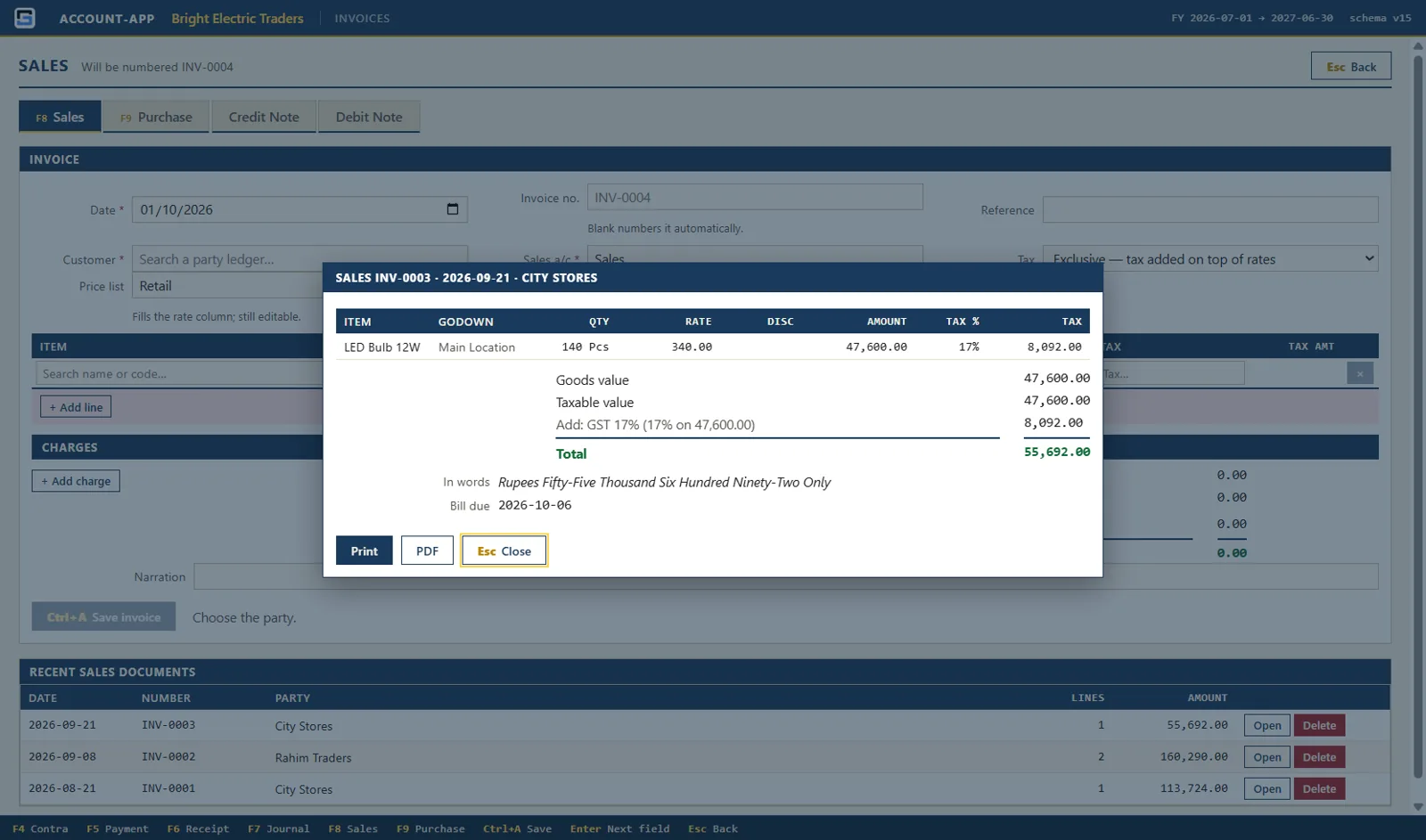
Sales invoiceA saved invoice with its tax, total, amount in words and due date, ready to print or save as PDF. 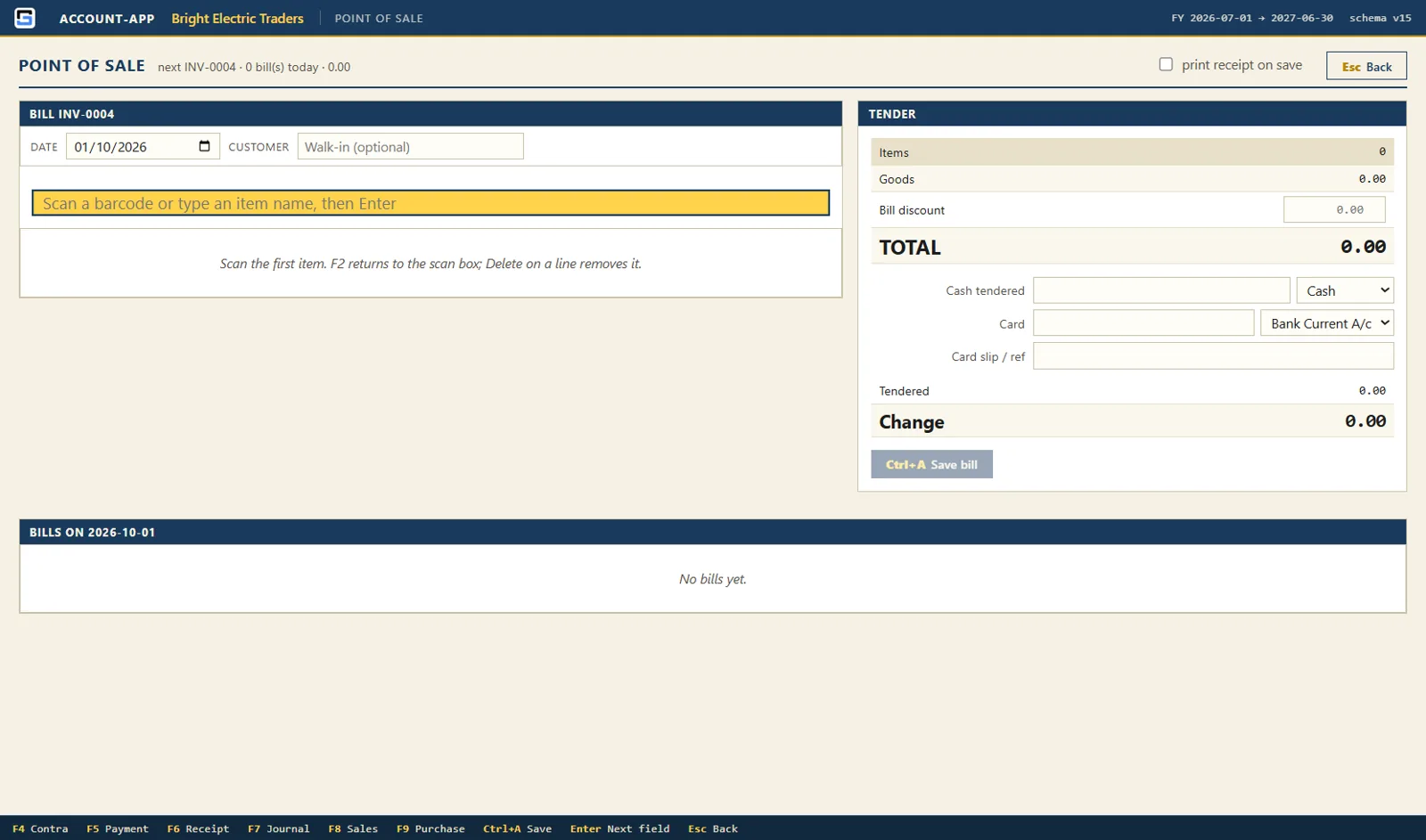
Point of SaleScan, take cash or card, and print the receipt. Nothing here needs the mouse. 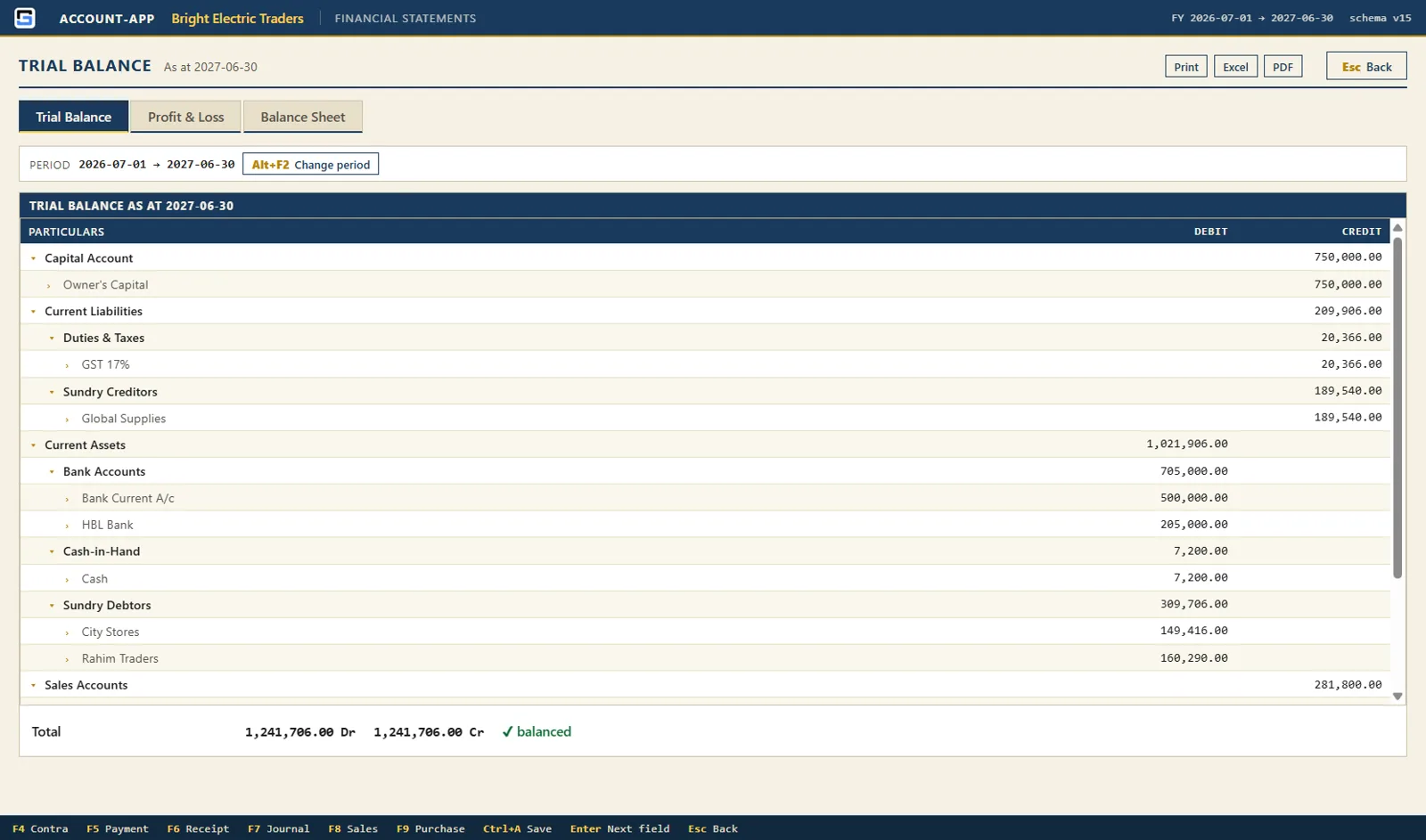
Trial BalanceEvery group and ledger with subtotals, with Profit & Loss and Balance Sheet on the next tabs. 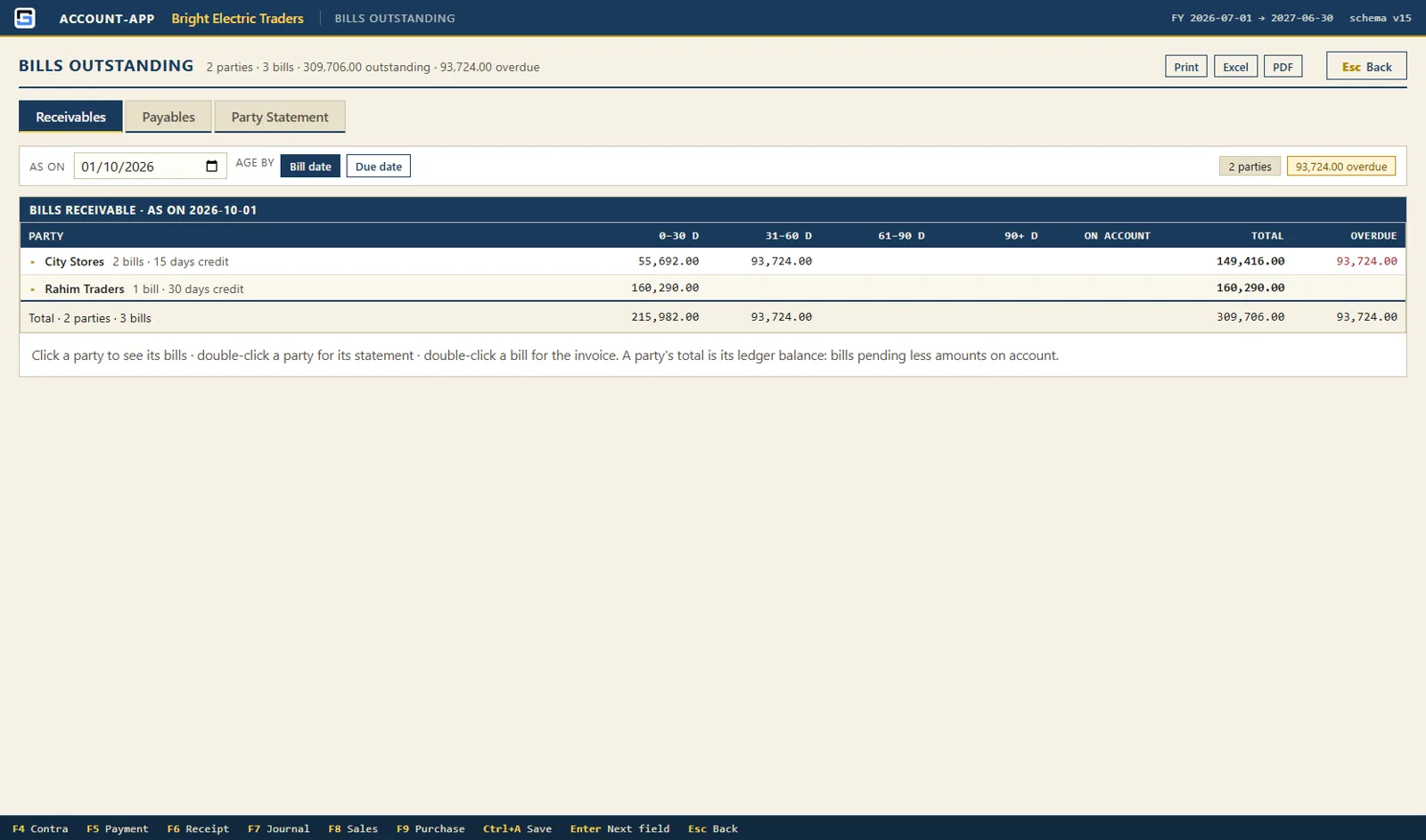
Bills outstandingReceivables and payables aged bill by bill, with the overdue amount for each party. 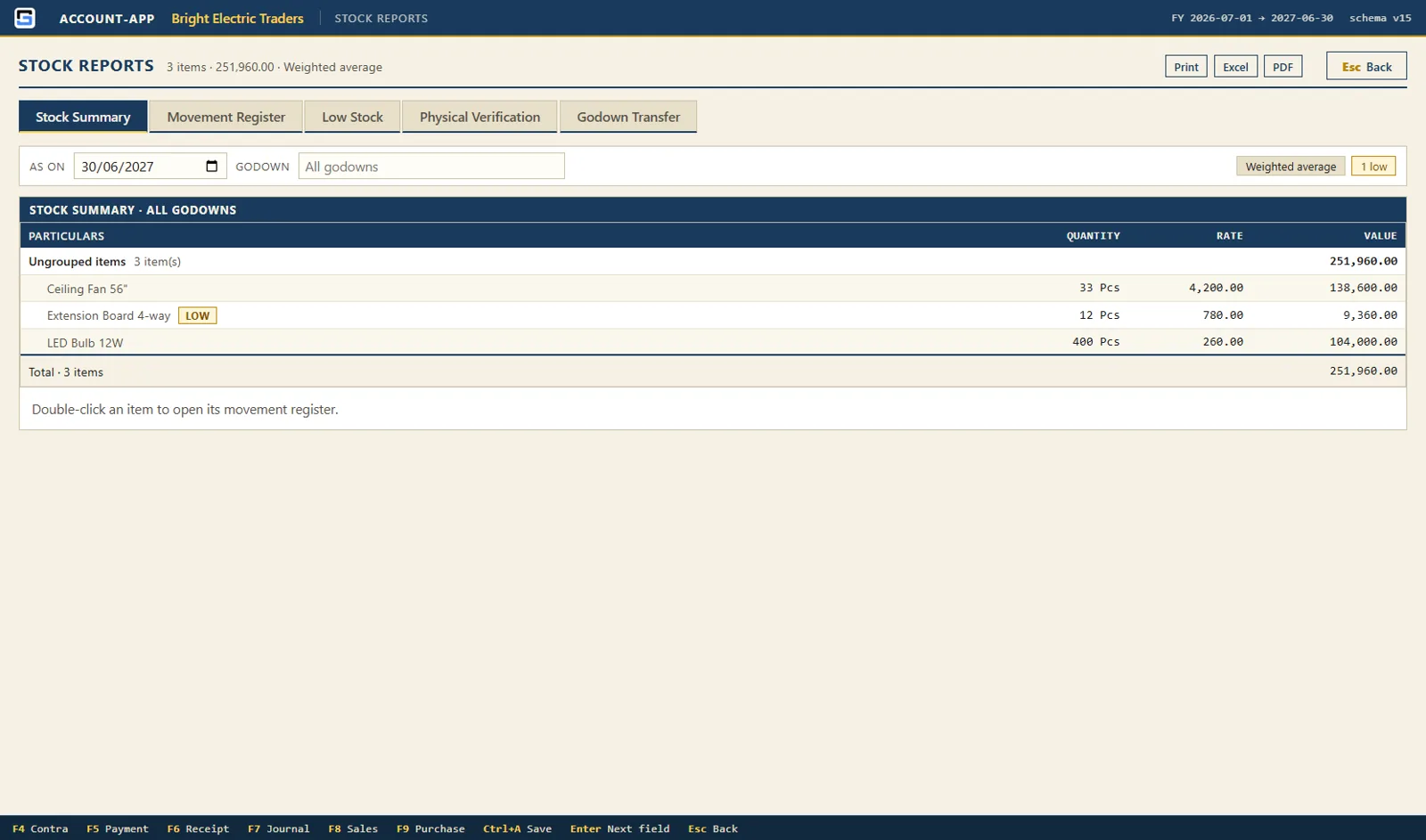
Stock summaryQuantity, rate and value per item and group, filtered by godown and date. 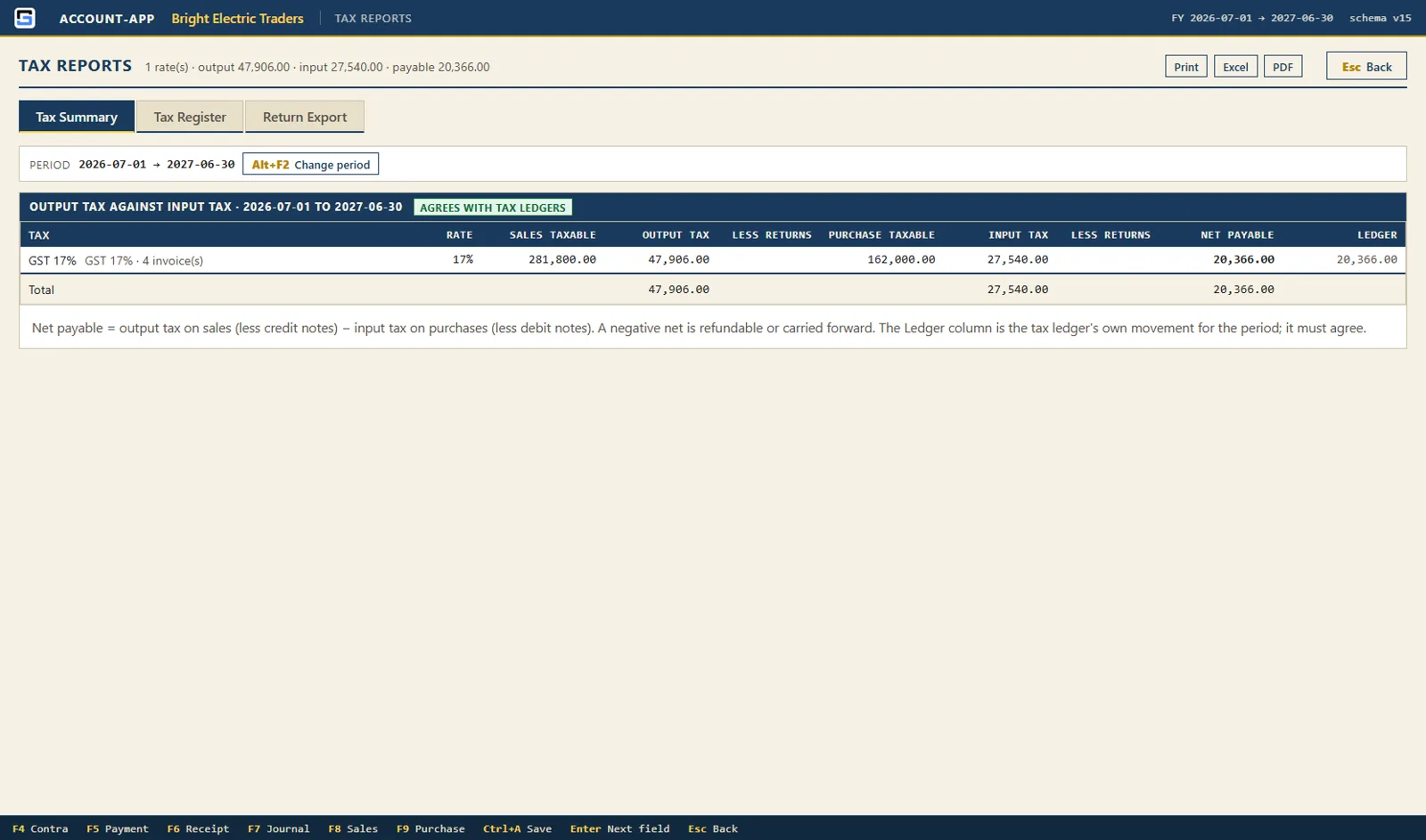
Tax reportsOutput tax against input tax and what is left to pay, cross-checked against the tax ledgers. 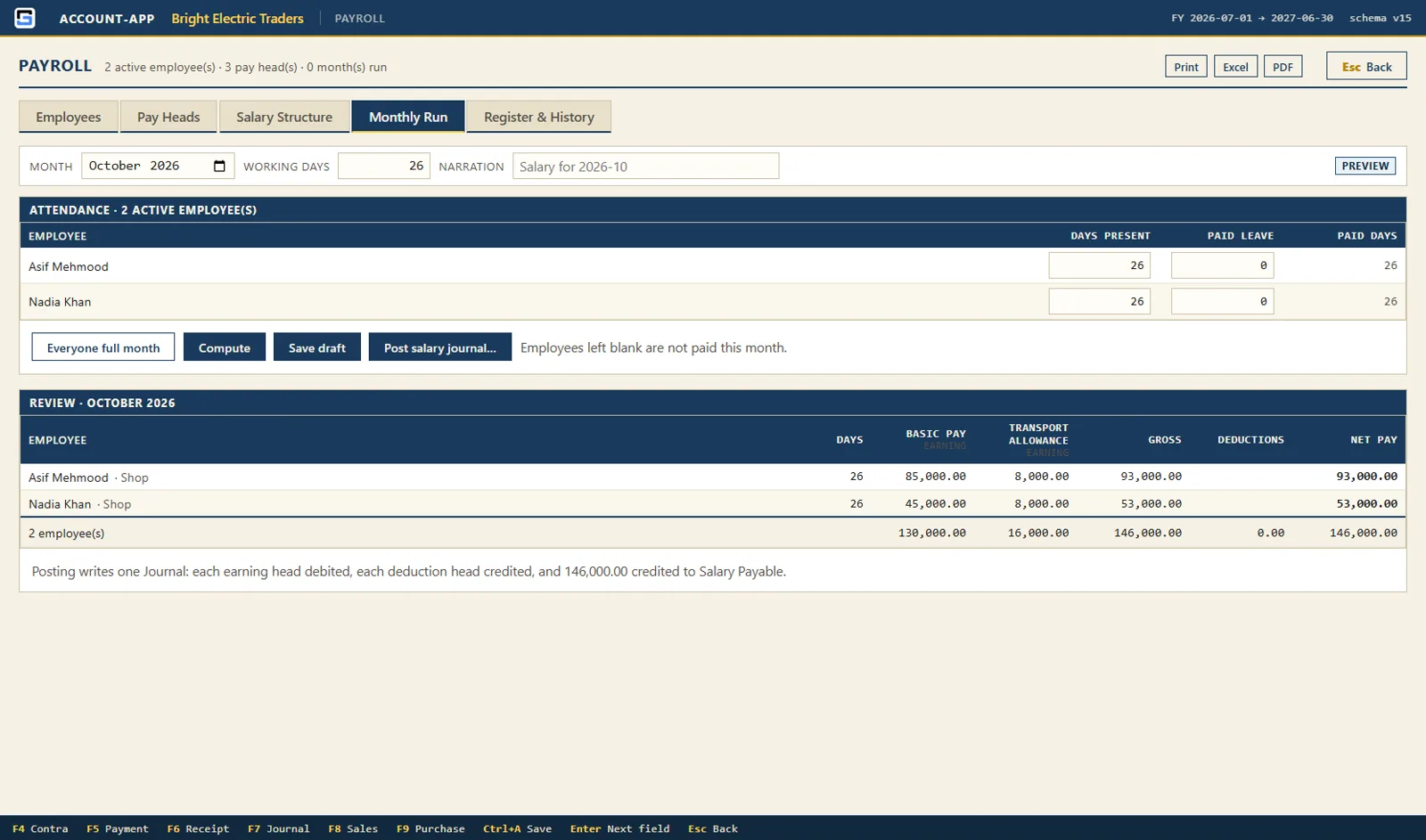
PayrollA month computed and ready to post: gross, deductions and net pay per employee. 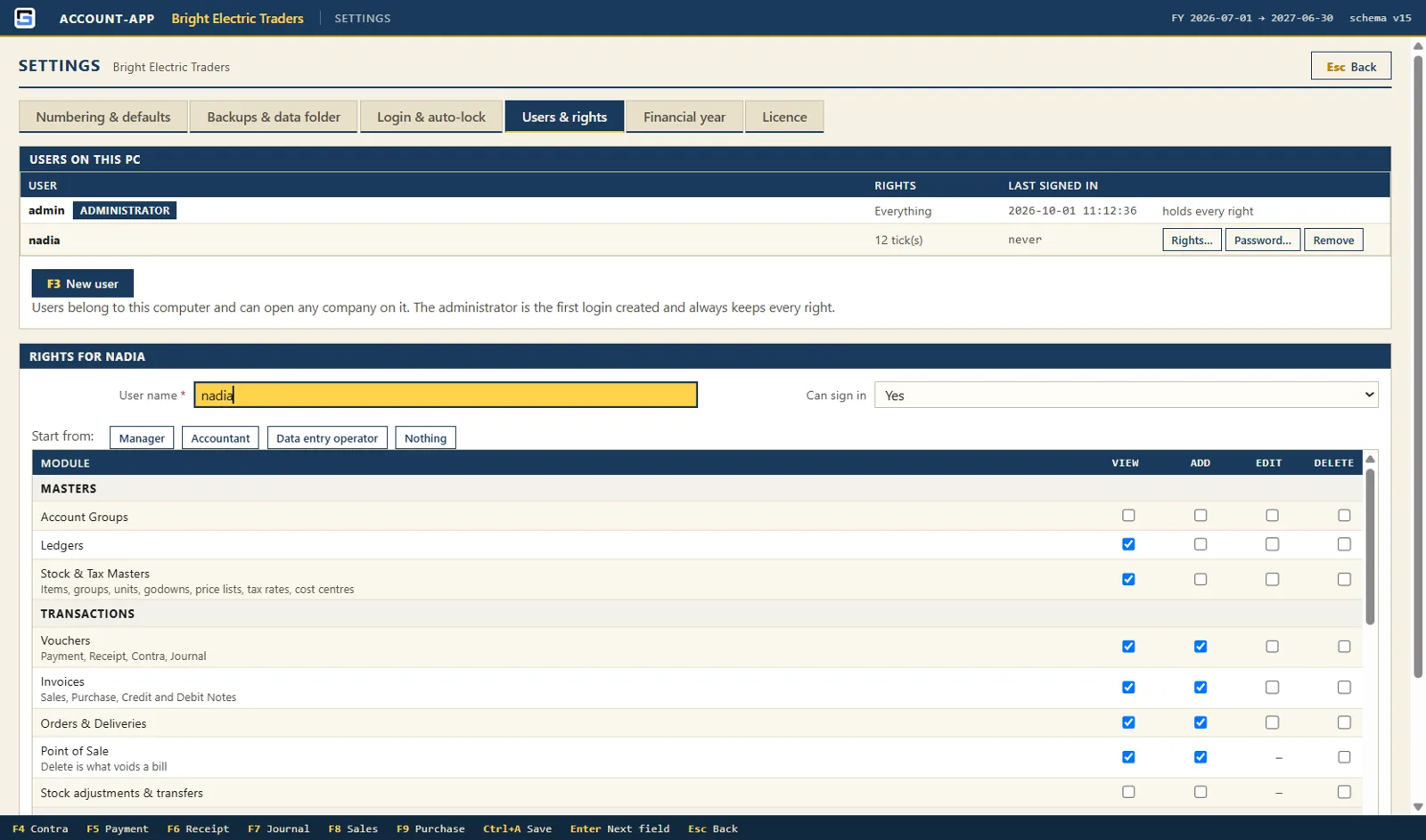
Users and rightsTick what each login may view, add, edit or delete, module by module.
How it works
From quotation to cash, without re-typing
Open a saved document and carry it forward: the next one is pre-filled with whatever is still pending. Purchases follow the same path in mirror image.
Quotation
What you offered. Nothing is posted yet.
Delivery note
The goods leave the godown.
Sales invoice
Ledgers, tax and the customer's bill are posted.
Receipt
Money comes in and settles the bill.
System requirements
What you need
Account-App runs on an ordinary office PC or laptop. The internet is never required.
| Item | Requirement |
|---|---|
| Operating system | Windows 10 or Windows 11, 64-bit |
| Memory and disk | 4 GB RAM and about 500 MB free. A year of books is usually 20–50 MB |
| Screen | At least 1024 × 680 |
| Printer (optional) | Any Windows printer for invoices, statements and reports |
| Receipt printer (optional) | An 80 mm thermal printer for the Point of Sale |
| Barcode scanner (optional) | Any scanner that types the barcode. No driver or setup needed |
| Internet | Not required for installing or running |
Licensing
Pay once, use it for good
Account-App is sold as a one-time licence. There is no subscription and nothing to renew.
- Free 30-day trialEverything is switched on for 30 days. When the trial ends you can still open, report, print, export and back up your books. Only new entries wait for a key.
- One licence per computerA key is issued for one PC's machine code. Need a second till, an office PC or a laptop for your accountant? Each gets its own licence.
- Free re-issue when you moveNew PC or Windows reinstalled? Release the old one and we re-issue the same licence for the new machine at no charge.
- Your data stays yoursThe licence and your books are separate. Your company files never leave your PC unless you choose an off-site copy.
Frequently asked questions
Does Account-App need the internet?
No. It installs and runs without an internet connection, and makes no network connection at all unless you choose to send backup copies to your own Google Drive.
How much does a licence cost?
Contact us on WhatsApp or through the contact form for the current price. It is a one-time payment per computer, with no subscription.
Can I try it before I buy?
Yes. Every new installation runs for 30 days with all features. Ask us for the installer and start keying your own books straight away.
I use Tally. Will Account-App feel familiar?
Yes. It uses the same idea of groups and ledgers, the same 28 standard groups and the same function keys for vouchers: F4 Contra, F5 Payment, F6 Receipt, F7 Journal, F8 Sales and F9 Purchase.
Can I bring in my existing accounts and items?
Yes. Ledgers, stock items and opening balances import from Excel templates. Every row is checked first, and nothing is written until the whole file is correct.
Does it handle FBR sales tax or VAT?
You set up your own tax rates, and Account-App calculates, posts and reports them, with a tax register and a return export to Excel or CSV. It does not assume any one country's rules.
Can more than one person use it?
Yes, on the same PC. Each person gets a login with rights per module, and the audit trail records who created, changed or deleted every entry.
What happens to my data if the PC fails?
Account-App takes automatic backups, can copy them to a USB drive or network share, and can send copies to your own Google Drive on a schedule. Restore takes a safety copy first, so even a restore can be undone.
Can I move to a new computer later?
Yes. Copy your data folder to the new PC, release the licence on the old one, and we re-issue it for the new machine free of charge.
Start keying your books today
Ask for the installer and try every feature free for 30 days. We are happy to help you set up your first company.